
After all the planning, brainstorming, and late-night “what if this actually works?” thoughts — it was finally time to code. This was where the idea started to turn into something real.
I’m on a Mac, so naturally, I had all the basics ready — Terminal, VS Code, and caffeine. But what really changed how I worked was ChatGPT. I call it “vibe coding” — because instead of getting lost in documentation, I’d just describe what I wanted, and it would throw back snippets of code. It’s not perfect — it only understands one file at a time — but it’s like having a slightly confused yet brilliant coding partner who never sleeps.
For the tech stack, I went with Next.js for the frontend and Supabase for the backend. Simple, modern, and powerful — just the right combo for someone who wanted minimal setup but maximum potential.
Next.js is like that reliable friend who takes care of all the boring stuff for you. Built on top of React, it simplifies website development to the point where you almost feel guilty.
It supports multiple rendering strategies:
In plain English — you get flexibility, speed, and great SEO, all in one go.
Plus, since it’s developed by Vercel, deployment is ridiculously easy. Just push to GitHub and… it’s live. No complex setup, no extra costs. Exactly what I needed.
For the backend, I wanted something lightweight yet robust — and Supabase turned out to be the perfect match. Think of it as an open-source version of Firebase, but based on PostgreSQL.
In short, it gave me everything I needed without burning through my wallet.
And because it’s built on PostgreSQL, I could run complex queries easily — no weird NoSQL gymnastics.
Now, I’m not a designer. In fact, I’m visually allergic to choosing colors. So I went for a minimalist design — less text, fewer colors, and zero unnecessary animations.
For visuals, I reused as much as possible: 1. A header bar with the app title, logo, and a couple of buttons. 2. A tree component I found online (because building one from scratch? No, thank you). 3. Most of the other components came from shadcn — a clean, well-designed UI library that saved me hours.
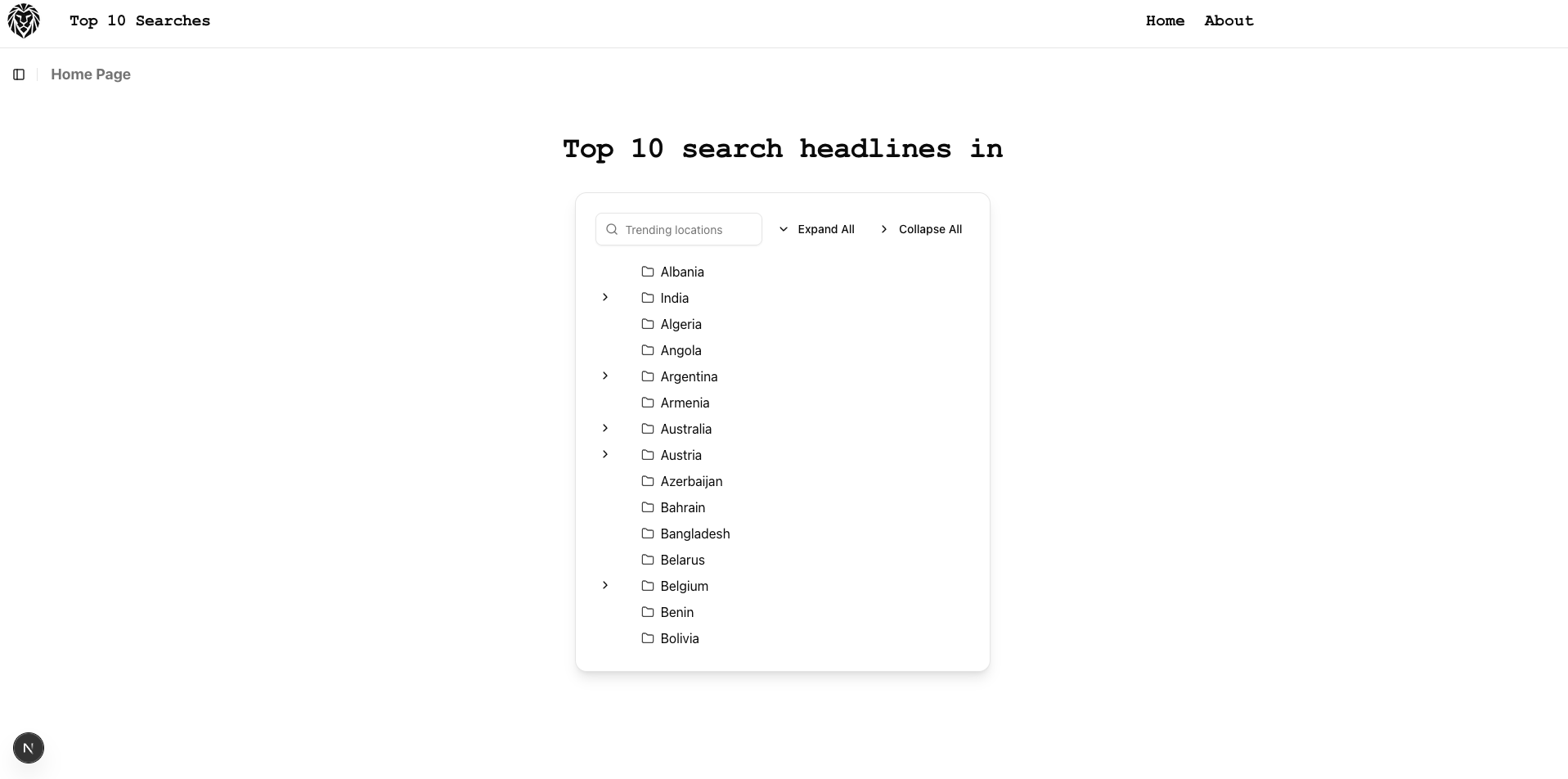
Main page
Initially, I wanted to show countries and their respective states (like in Google Trends). That’s why I started with a tree table layout — so users could expand and select states within countries. Later, I dropped some of that complexity, but the structure remained.
Here’s what happens when someone visits the app: 1. The user lands on the home page and sees the list of countries (in the tree table). 2. They can search and select a country. 3. The app fetches the country code from a JSON model. 4. Using that code, it scrapes Google Trends data to fetch the top trending topics. 5. Those topics are then sent to the AI API, which generates readable news summaries. 6. Finally, the user is redirected to the Detail page, where the generated articles are displayed neatly.
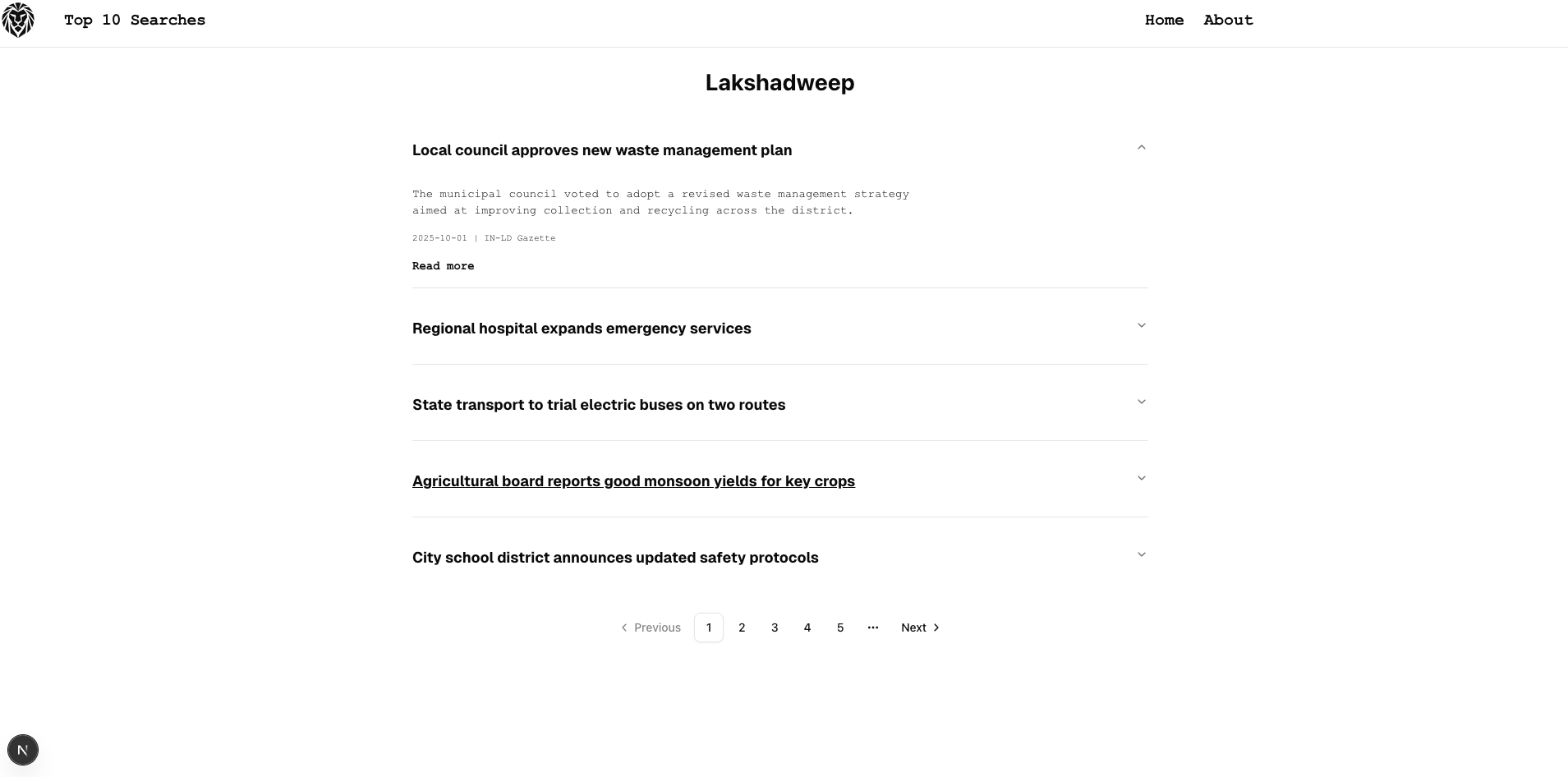
Detail page
Sounds simple on paper — but reality had other plans.
Scraping was the part that almost broke me. Every website has its own structure — different HTML layouts, classes, and tags. Multiply that by a hundred countries, and you’ve got yourself a digital nightmare.
I spent days trying to make it work. Some countries worked fine, others didn’t. I fixed one, broke three. Eventually, I did what any sane developer would do: I gave up scraping and let AI handle it.
And honestly? That decision saved the project. Sometimes the easiest path is the smartest one.
Setting up the environment, picking the right stack, and laying out the UI gave me the foundation I needed. It wasn’t perfect — far from it — but it was something.
With Next.js managing the frontend magic and Supabase quietly handling the backend, I finally had a working structure. The project wasn’t just an idea anymore. It was alive — fragile, but alive.
In Part 3, I’ll dive deeper into the challenges that came next: scraping failures, API struggles, and how I managed to make AI generate actual news that felt real.
Because the fun part wasn’t building the structure — it was teaching it to think.